PDFDOK

QR Code Generator

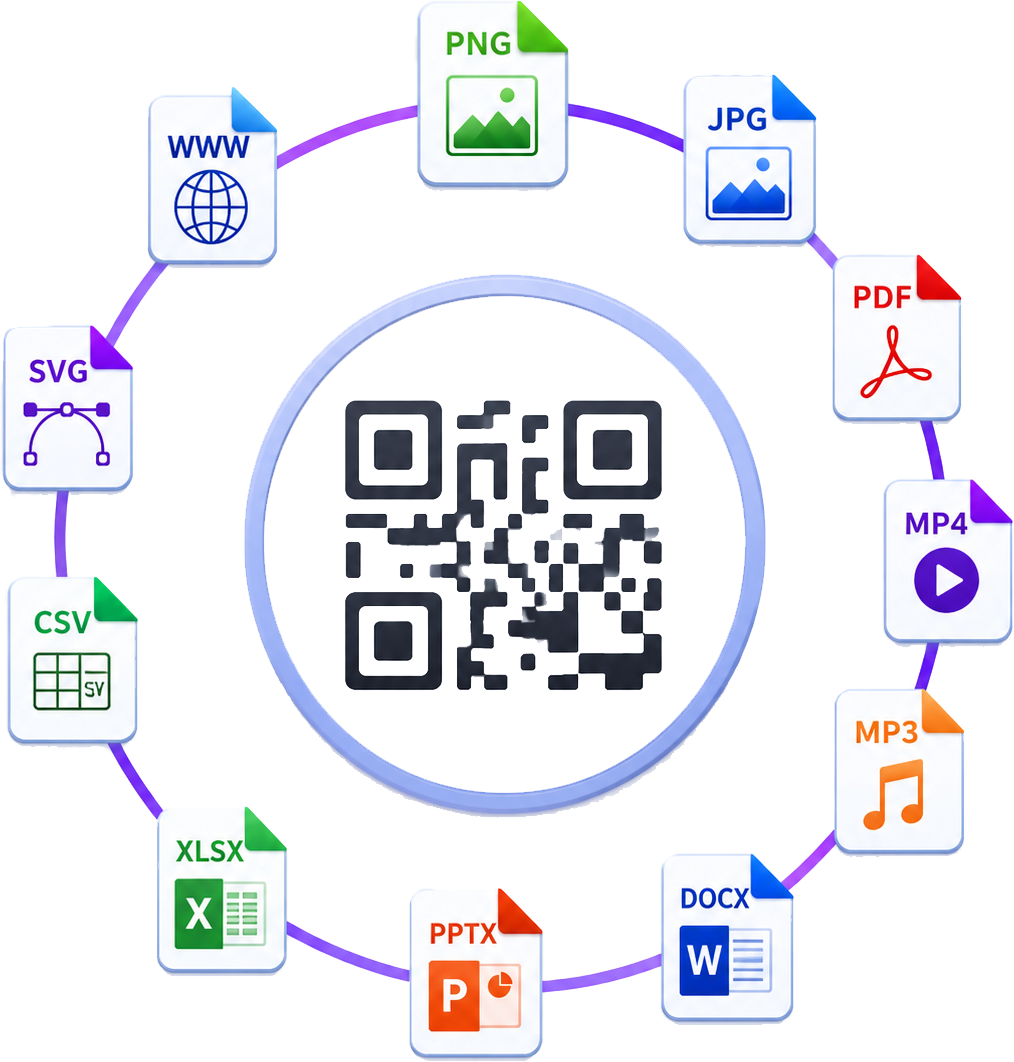
Create dynamic QR codes for links, text, files, Wi-Fi, email, calls, WhatsApp, apps, videos, and social media.

1

Complete the content

2

Design your QR Code

Frame style

Marker border style

Shape style

Marker center style

Dynamic QR code generator

Editable QR codes.

A static QR code locks the destination forever. A PDFDOK dynamic QR code points through your account first, so you can edit the final destination later without replacing printed cards, menus, packaging, posters, or labels.

Edit later

Change URLs, files, and campaign links.

Save costs

Avoid reprinting when content changes.

Style it

Frames, shapes, colors, logos, and text.

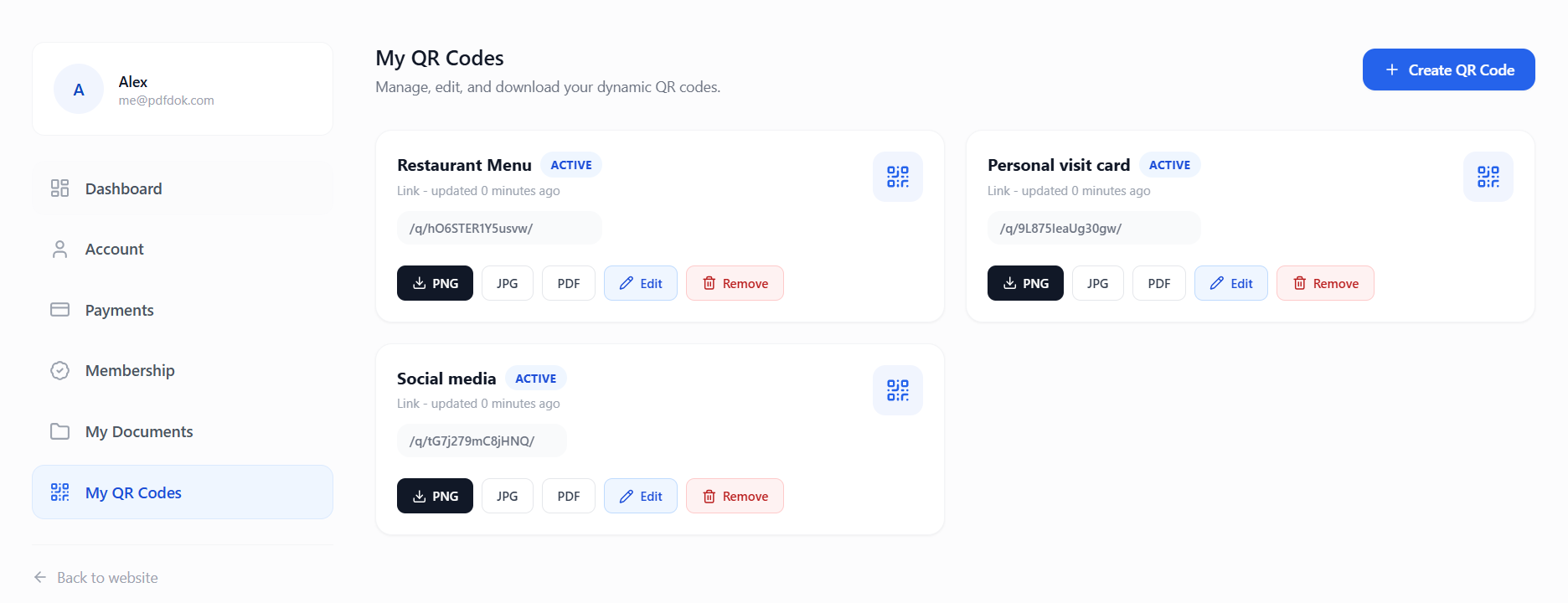
My QR Codes management dashboard

Choose what your QR code does

One builder for everyday QR code types.

Hover a QR type to scan it and reveal what it does. Click a QR type to jump back to the builder with that tool selected.

Link QR codes

Link QR codes open a website, menu, landing page, checkout page, or any URL you want to update later without reprinting the QR code.

Required fields

Website URL or campaign landing page

Best for

Menus, product pages, checkout links, posters, and ads
Manage after launch

Update live QR codes from your dashboard.

Every dynamic QR code is saved in your account. You can edit the destination, download PNG/JPG/PDF again, and keep campaigns alive without replacing the QR printed on menus, packaging, cards, windows, or flyers.

Change destinations

Point the same scan code to a new page, file, menu, or campaign.

Download anytime

Export transparent PNG, JPG, or PDF from your QR dashboard.

Organize by use case

Keep restaurant menus, visit cards, socials, and PDFs separate.

Protect print budget

Do not reprint just because a URL or document changed.

Dynamic QR dashboard with editable QR code cards
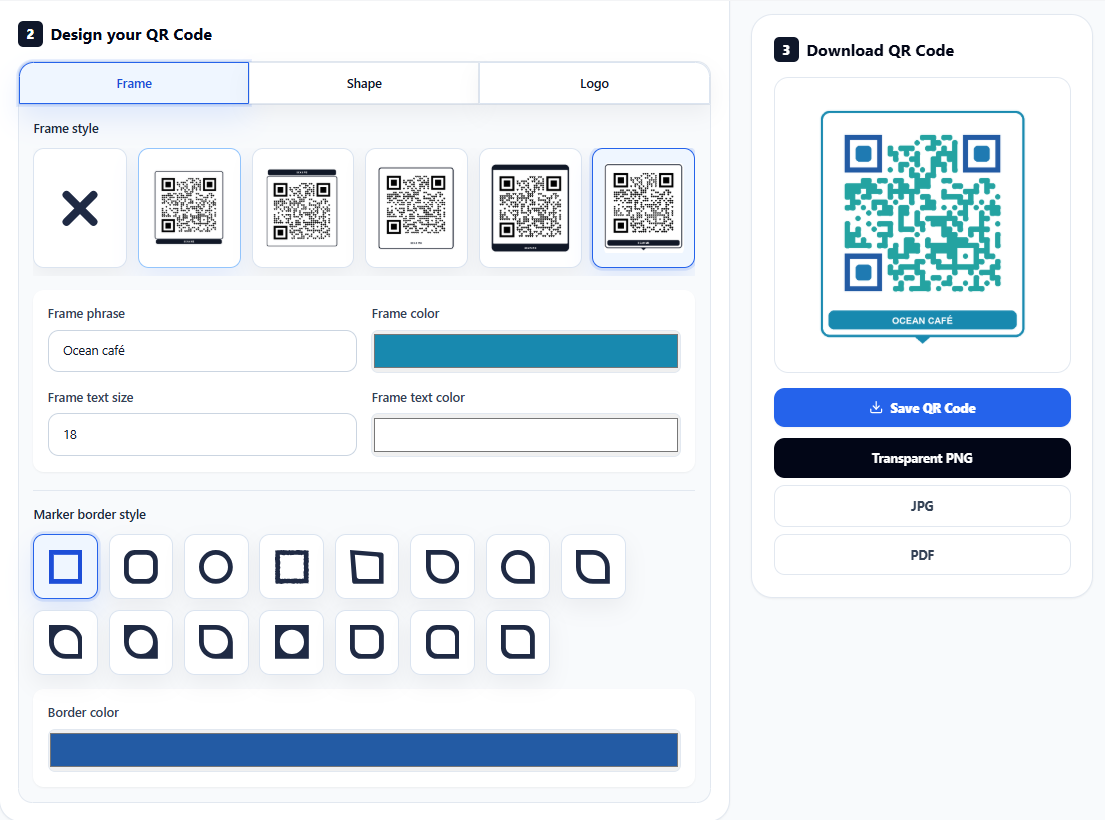
QR code style editor with custom frame and colors

Design control

Customize the QR before you publish it.

The builder is not only a black-and-white code generator. It lets you design frame style, frame phrase, frame text size, frame text color, shape color, marker borders, marker centers, background, and logo so the QR feels intentional.

Frame style Text size Text color QR shapes Marker borders Logo upload PNG / JPG / PDF

No static redesign loop

Create a branded QR once, then keep editing the destination behind it as your campaign changes.

Scannable dynamic QR code

Printed pieces

500

Potential saved

EUR 250

Estimate uses EUR 0.50 per replaced printed piece.

How it works

Create, customize, and update your QR code anytime.

1

Choose QR Code Type

First step would be to choose your QR Code Type. This will define what your QR Code will do.

2

Fill required fields

Then, you will need to fill the required fields that the QR Code type is asking. For example, Type Link will ask for a website URL.

3

Download & Share QR Code

Finally, you can download and share your QR Code generated from your dashboard and edit it later if needed.